India-Pakistan Tensions : How to Enable Emergency Alerts on Android & iPhone - Step-by-Step Guide
Step-by-step instructions to enable emergency alerts on Android and iPhone during public safety drills or crisis communication events.
Article brief
8 May 2025
1 min read
By Bharatsure Team
Category
Trending analysis
Share
LinkedInWith the rising tension between India - Pakistan, India is strengthening its emergency communication systems with nationwide mock drills to prepare for crises. As part of this initiative, smartphone users may receive loud tones and alerts. These are test alerts designed to ensure systems work properly in real emergencies.
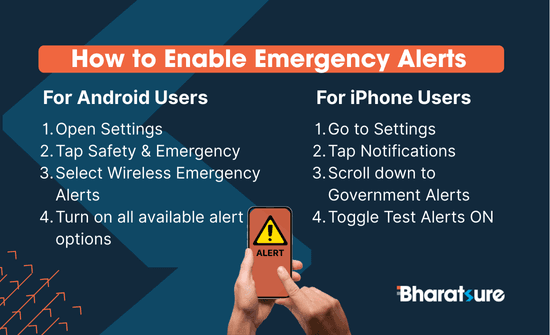
To make sure you don't miss any important alerts, here's how to enable them on your smartphone:
📱 Emergency Alerts For Android Users (Android 11 and above):
- Open Settings - Tap Safety & Emergency - Select Wireless Emergency Alerts - Turn on all available alert options
📱 Emergency Alerts For iPhone Users:
- Go to Settings - Tap Notifications - Scroll down to Government Alerts - Toggle Test Alerts ON
Keeping these alerts active helps ensure you're informed in times of crisis. Whether it's a mock drill or a real emergency, being prepared makes all the difference. Stay alert. Stay safe.